The About Us page is edited with Elementor and is organized into accordion sections under two headings: How NTBHA is Governed (Board of Directors, Executive Staff, Board Agenda and Meeting Documents, Mission, Values) and Local Planning (PNAC, Regional Planning Efforts, Collaborative Local Planning, SIM Efforts). Each accordion item contains a Text Editor widget.
Adding or Removing a Board Member #
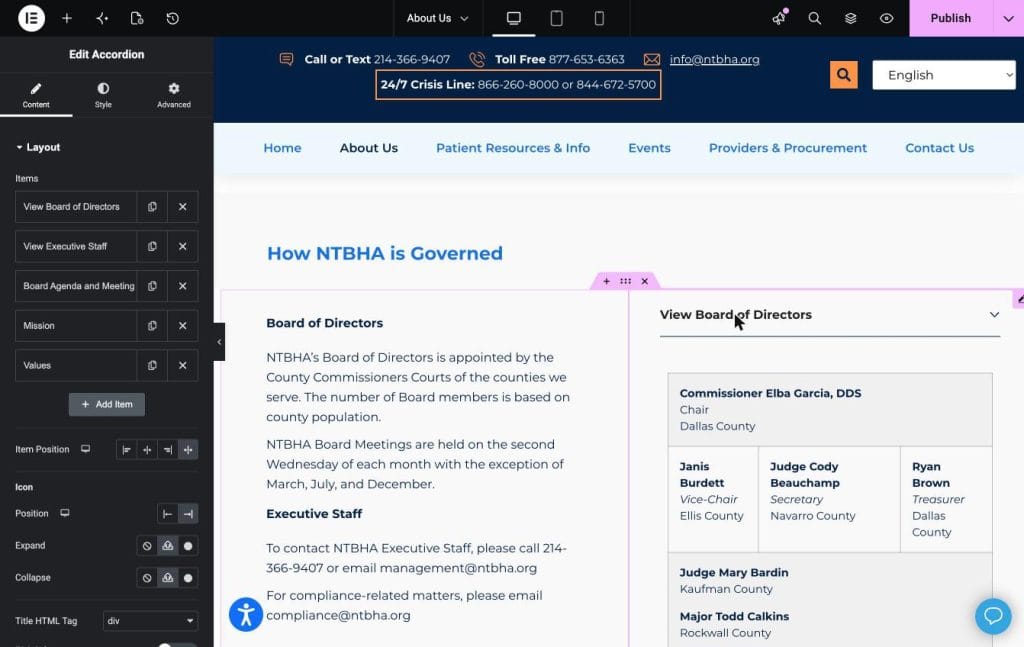
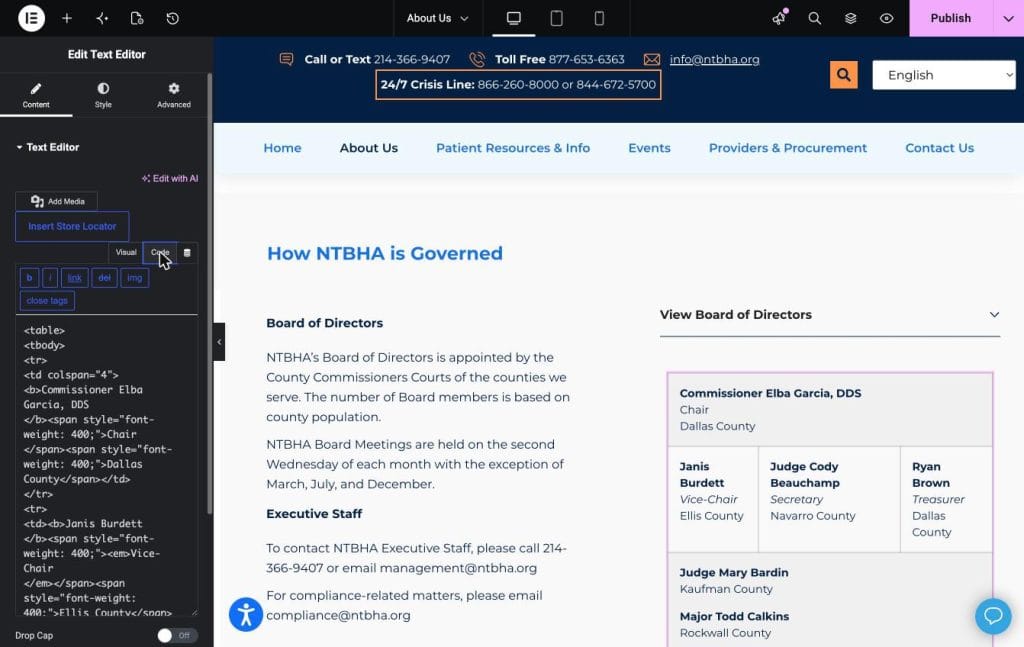
Go to wp-admin, Pages, About Us, Edit with Elementor. Click the View Board of Directors accordion item to expand it on the canvas, then double-click the member grid to select the Text Editor widget behind it. This widget contains an HTML table, one row per member. In the Visual tab you can click into an existing member’s box and retype their name, title, or county directly. To add a new member, switch to the Code tab (shown below), copy an existing table row (a block starting with <tr> and ending with </tr>), paste it in as a new row, and edit the name, title, and county text inside it. To remove a member, delete their <tr> to </tr> block entirely. Switch back to Visual to confirm it looks correct, then click Update.
The Code tab looks like this, showing the raw table markup you can copy, paste, and edit:
Adding or Removing Executive Staff #
The View Executive Staff accordion uses the exact same table pattern as the Board of Directors. Expand it, double-click into the grid to open its Text Editor widget, and add, edit, or remove rows the same way described above.
Posting the Monthly Board Agenda and Meeting Documents #
This is the task Meliah Martinez does every month. Expand the Board Agenda and Meeting Documents accordion item. Above the table there is a short meeting notice paragraph (date, time, videoconference and Zoom details); update the meeting date and Zoom link there each month. Below it is a table with three columns: Date, Agenda, and Documents, shown below.
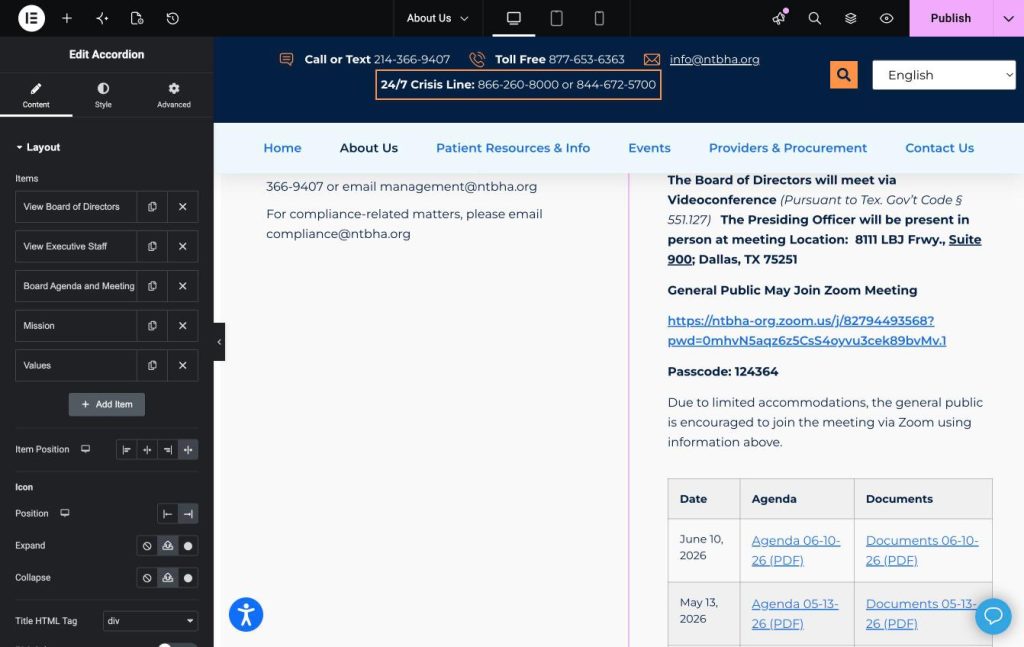
To add the new month’s row: upload that month’s Agenda PDF and Documents PDF to the Media Library first. Double-click the table to open its Text Editor, switch to Code, copy the most recent <tr>…</tr> row, paste it above (as a new first row), then update the date text and the two links to point to the newly uploaded PDFs. Remove very old rows the same way you remove a board member row, by deleting the <tr> to </tr> block. Click Update to publish the change.
Local Planning Documents (CLSP, LPNDP, PNAC Agendas, and More) #
Scroll down to the Local Planning heading, which contains its own accordion items: NTBHA’s Planning Network and Advisory Committee (PNAC), NTBHA’s Regional Planning Efforts, Collaborative Local Planning in the NTBHA Region (this is where CLSP and LPNDP documents live), and Collaborative Sequential Intercept Model (SIM) Efforts. Each of these expands to a Text Editor widget containing a simple bulleted or linked list of PDFs, not a table. To add a PNAC agenda or a new planning document, upload the PDF, then in the Visual editor either add a new list line and link it to the file, or edit an existing line’s link through the link icon in the toolbar. To remove a document, delete its line. This is the same upload-and-link skill used everywhere else on the site.


